Catering customers do not browse like ordinary dinner guests. They may be planning an office lunch, family celebration, school event, or community gathering. They need to know whether your restaurant can handle the occasion, what ordering might involve, and how quickly they can get a useful answer.
If those details are scattered across a PDF, social post, or generic contact form, a promising buyer can leave before your team ever hears from them.
A strong catering page does not need to answer every possible question. It needs to make the offer clear, reduce uncertainty, and give the customer an easy next step.
Make catering easy to find
Do not make visitors hunt through your regular menu or footer for a small catering link. Give catering a clear place in the main navigation, homepage, and relevant menu pages.
Use direct wording such as “Catering,” “Order Catering,” or “Plan Your Event.” Clever labels can create uncertainty when a customer is already comparing several restaurants.
The catering page should also have its own descriptive URL, such as /catering/ or /restaurant-catering/. This gives customers a page they can share with coworkers and helps search engines understand what the page is about.
Google recommends building pages for users, using the words people use to search, and placing descriptive terms in prominent locations such as page titles, headings, links, and image alt text. A clear catering page follows that guidance without forcing keywords into every sentence.
Show what a customer can actually order
A regular restaurant menu is rarely enough for a catering buyer. The customer may need portions, package sizes, service options, and practical ordering details that do not matter during a normal dine-in visit.
Organize the catering offer around decisions the customer is trying to make:
- What type of event is this suitable for?
- How many people does each package serve?
- What is included?
- Are utensils, serving pieces, plates, or napkins available?
- Is pickup, delivery, drop-off, or staffed service offered?
- What lead time is requested?
- Are minimum orders or delivery areas involved?
- How should dietary needs be discussed?
Only publish details your restaurant can consistently honor. If pricing or availability changes frequently, explain how quotes are prepared instead of displaying information that may become inaccurate.
Build packages around real occasions
Catering customers often think in occasions before they think in menu categories. An office manager might need a reliable lunch for 25 people. A family might need a celebration meal that is easy to serve. A school or nonprofit may need simple ordering and a firm budget.
Package names can help customers recognize the right starting point. Examples might include an office lunch package, family celebration package, or build-your-own buffet. The exact packages should reflect the restaurant’s cuisine, kitchen capacity, margins, and service model.
Each package should explain:
- The intended group or occasion
- The serving range
- Included dishes and sides
- Available upgrades or add-ons
- Ordering lead time
- Pickup or delivery choices
- The next step for receiving a quote or placing an order
Avoid creating so many combinations that the page becomes another planning burden. Start with a few dependable choices, then offer customization through the inquiry process.
Use real food and catering photography
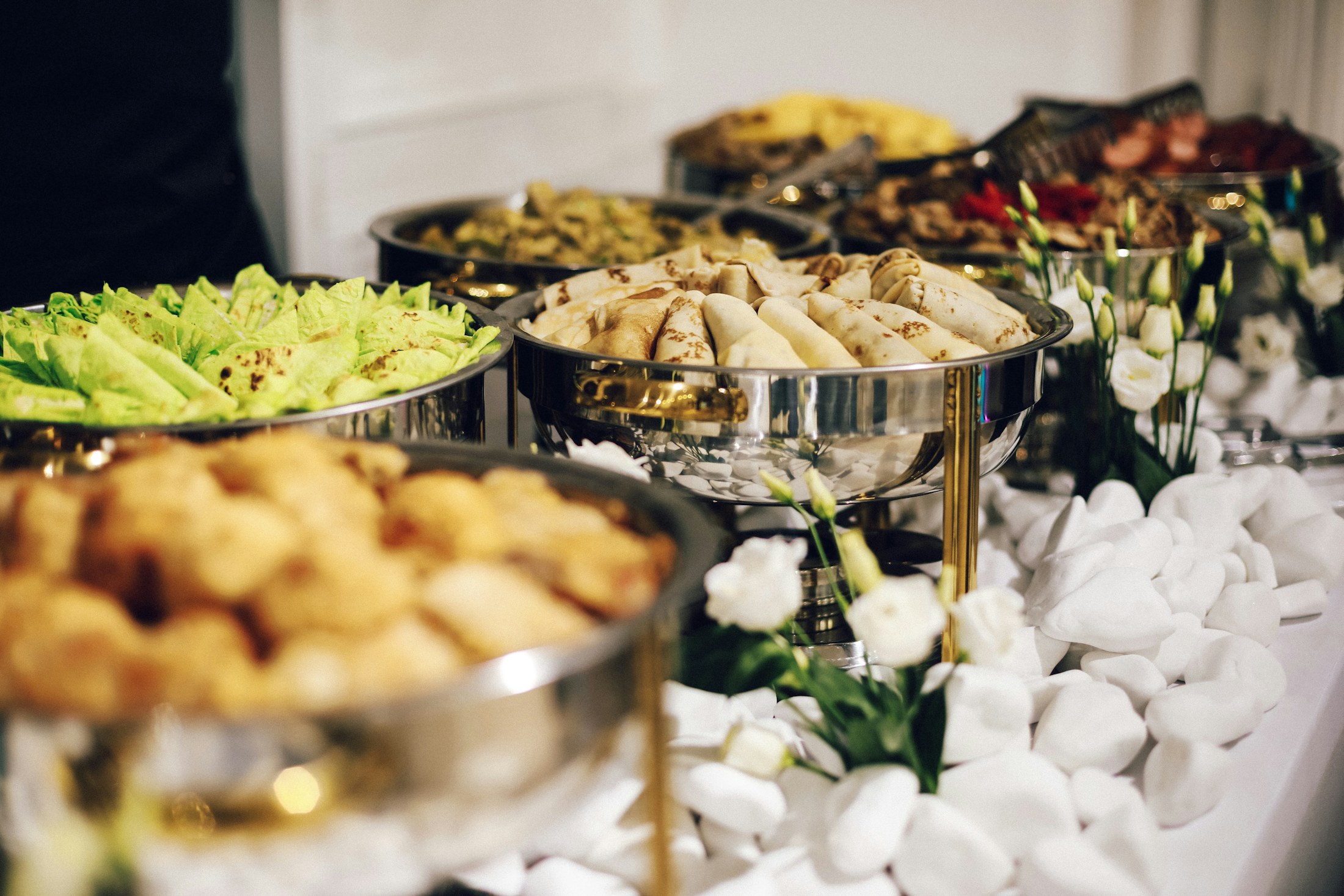
Customers should be able to picture the food at their own event. Use real photographs of catering trays, buffet arrangements, packaged lunches, staff setting up an order, or guests sharing the food.
The photograph should match the offer. A dining-room image can establish atmosphere, but it does not prove that the restaurant can prepare and present a catering order. Food photography should look appetizing, recognizable, and operationally realistic.
Add natural alt text that describes what is actually visible. Alt text is for accessibility first, and descriptive wording also gives search engines useful context.
Do not use abstract graphics as a substitute for food. Avoid artificial-looking imagery that could make customers question whether the catering offer is real.
Replace the generic contact form
A contact form designed for general questions usually creates extra work for the customer and the restaurant. A catering inquiry should collect the few details needed to judge fit and respond usefully.
Consider asking for:
- Customer name
- Email and phone number
- Event date and preferred time
- Guest count
- Event type
- Pickup or delivery preference
- Delivery location, when relevant
- Package or menu interest
- Dietary or allergen questions
- Budget range, if the team uses it to guide recommendations
- Additional notes
Keep the form focused. If every operational detail is required before a conversation can begin, customers may abandon it. Clearly distinguish required fields from optional ones.
After submission, tell the customer what happens next. A useful confirmation might explain when the team normally responds, whether the request is a quote rather than a confirmed order, and what information may still be needed.
Design around the catering decision
Foyer’s work for Cedars Restaurant at Indian Catering Seattle applies this principle. Instead of treating catering as a small extension of the regular restaurant menu, the experience gives catering customers a dedicated path and an AI-assisted planner that helps them organize an order around the needs of their event.
The lesson is not that every restaurant needs the same tool. The right experience should reduce the specific uncertainty that prevents that restaurant’s ideal catering customer from moving forward. Foyer designs these journeys around the restaurant’s offer, operations, and growth goals without forcing every business into the same template.
Answer the trust questions before they are asked
Catering orders carry more perceived risk than a single meal. The buyer may be responsible for feeding coworkers, clients, relatives, or guests on a fixed schedule.
Use the page to answer practical trust questions:
- How are large orders packaged?
- Who confirms the order?
- When is payment due?
- What happens if the guest count changes?
- How are delivery timing and setup handled?
- How should dietary requirements be discussed?
- What is the cancellation or change policy?
Publish only policies that the restaurant has approved. If a question depends on the event, say that the team will confirm it during quoting.
Reviews and short customer stories can also help, but they must be genuine and used with permission. A specific comment about an office lunch or celebration is more relevant than a general dining review.
Connect the page to local discovery
People often search for catering with a location, cuisine, event type, or group need in mind. The catering page should naturally explain the areas served and the types of events the restaurant can support.
Keep the restaurant’s Google Business Profile accurate, including the website, menu information, business details, and applicable ordering links. Google allows restaurants to manage menu information and ordering options through eligible Business Profile features.
Link to the catering page from relevant location and service pages on the restaurant website. Use descriptive link text rather than vague phrases such as “click here.”
Do not create thin pages for every nearby city. A useful location page should contain real service information that matters to customers in that area.
Make mobile inquiry effortless
Many buyers will first visit the page from a phone, even if they complete the order later from a desktop computer.
On mobile, confirm that:
- The catering call to action appears early
- Package details are easy to scan
- Buttons are large enough to tap
- Phone and email actions work
- The inquiry form does not require awkward zooming
- Menus and photos load quickly
- Important information is not trapped inside an unreadable PDF
A downloadable catering guide can support the page, but it should not replace clear webpage content.
Create a response process behind the form
A better page can generate more inquiries, but the restaurant still needs a reliable follow-up process.
Route catering requests to a monitored inbox or system. Assign responsibility for the first response. Prepare a short set of questions for confirming availability, guest count, service needs, and payment steps.
Templates can speed up routine replies, but the customer should still receive an answer that reflects their event. If the restaurant cannot serve the request, a fast and respectful response is better than silence.
Track a few useful numbers:
- Catering page visits
- Inquiry starts and completed submissions
- Qualified inquiries
- Quotes sent
- Orders won
- Average response time
- Common reasons an inquiry does not proceed
These numbers can reveal whether the main problem is traffic, page clarity, lead quality, follow-up speed, or the offer itself.
A practical catering-page checklist
Before promoting the page, confirm that it includes:
- A clear catering headline and value proposition
- Real catering or food photographs
- A small number of understandable packages
- Serving ranges and inclusions
- Pickup, delivery, and lead-time guidance
- A clear process for dietary questions
- Genuine proof, when available
- A focused catering inquiry form
- A clear response expectation
- Descriptive page title, headings, links, and image alt text
- A tested mobile experience
- A team member responsible for follow-up
The strongest catering page is not the one with the most features. It is the one that helps the right customer understand the offer, trust the restaurant, and take the next step with confidence.
Start with the biggest point of friction
Review the current catering path as if you were ordering for an important event. Can you find catering quickly? Can you understand what to order? Can you estimate whether the restaurant is a fit? Do you know what will happen after you inquire?
Fix the first point where the answer becomes unclear. Then measure whether more visitors reach the inquiry form and whether those inquiries become better conversations.
Get a Foyer Growth Snapshot to identify where your restaurant’s website may be losing catering opportunities, direct orders, and repeat guests.